A Postgres client built around
problems I kept having.
I wrote PgClient for myself. Each slide is one thing that annoyed me enough to fix.
Also for Intel Mac · Windows · Linux · all downloads
Not yet signed by Apple. If macOS blocks the first launch, open System Settings → Privacy & Security and click Open Anyway.
“I keep entering and re-entering the same connection details and passwords, in every client, on every machine.”
Everything is a config file.
Your servers live in one JSON file, the way kubectl reads ~/.kube/config. Passwords come from ~/.pgpass, the way psql reads it. Nothing to type.
- Plug and play. Drop the file in place and your servers are in the picker.
- Edit it anywhere. The file is read again whenever the window regains focus.
- No secrets in it. A server with no password takes the matching
~/.pgpassline. - Keep it in your dotfiles. It has a JSON schema, and
$PGCLIENT_CONFIGcan point elsewhere.
{
  "version": 1,
  "servers": [
    { "name": "shop", "host": "localhost", "port": 5439, "user": "demo", "database": "shop", "environment": "local" },
    { "name": "shop", "host": "localhost", "port": 5439, "user": "demo", "database": "shop", "environment": "dev" },
    { "name": "shop", "host": "localhost", "port": 5439, "user": "demo", "database": "shop", "environment": "staging" },
    { "name": "shop", "host": "localhost", "port": 5439, "user": "demo", "database": "shop", "environment": "prod" }
  ]
}
# host:port:database:user:password
localhost:5439:shop:demo:demo-not-secret
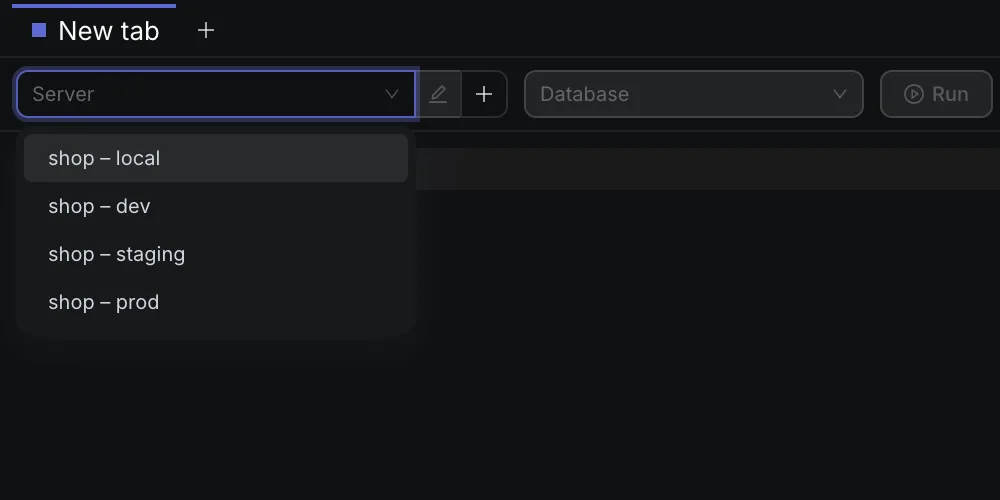
“Two windows, the same table names, and one of them is production. I only noticed after pressing Run.”
Prod is red.
Tag a server with an environment and the whole window takes its colour: the Run button, the active tab, the server box, even the SQL highlighting. You know where you are before you press anything.
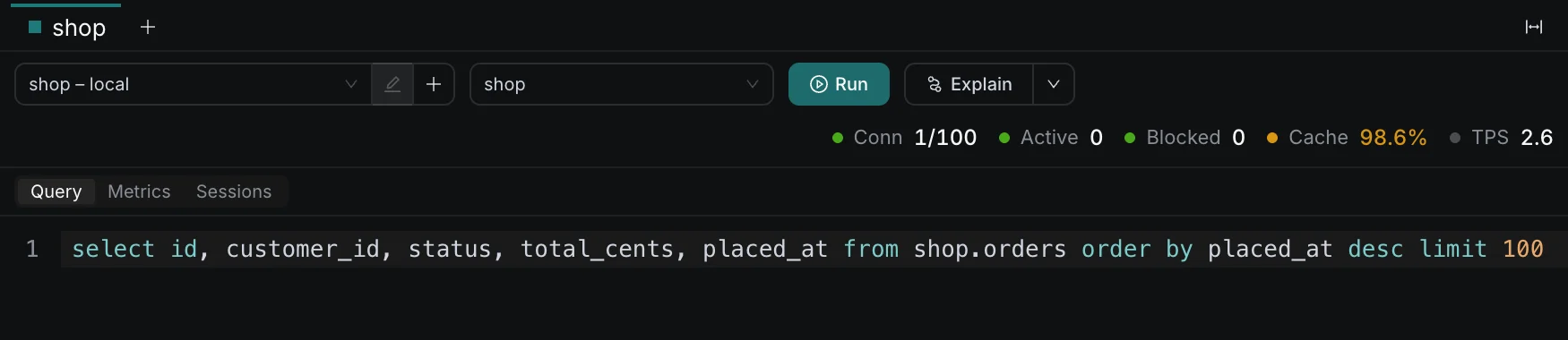
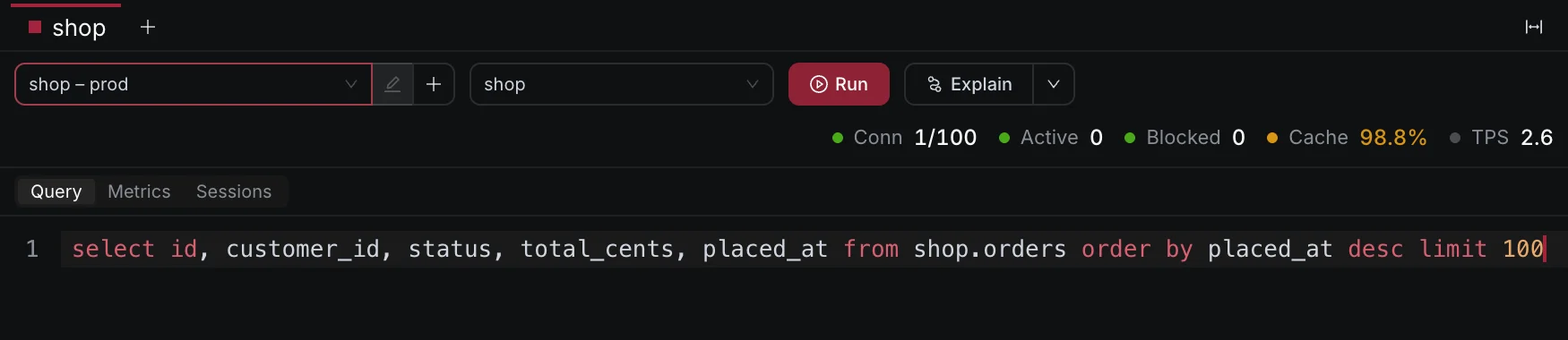
The same name can be listed once per environment, so shop in prod reads shop - prod.
“To follow a foreign key I have to write the next query, and the one after that, and lose track of where I started.”
Follow the keys. See the graph.
Two ways to walk from a row to the rows around it, and neither means writing a join.
Click an animation to open it full size. The data is invented.
“A few hours in, the connection dies. The port-forward lost its login, and I have to find the terminal and open it again.”
The tunnel opens itself.
Give a server a tunnel command. PgClient runs it when you connect, if the port is not already answering, and brings it back when it drops. It can be any command you would have typed: kubectl port-forward, a gcloud IAP tunnel, an aws ssm session.
- Every query checks it. A tunnel that has died is started again by the next one.
- A forward that outlived its login still answers but lets nothing through. That is detected, and the tunnel is restarted once.
- Found from the Dock. The app asks your login shell for its
PATH, sokubectl,gcloudandawsare found. - Honest when it fails. You see what the command said, not a bare timeout.
- Yours stay yours. Something already answering on the port is left alone, and every tunnel the app started is stopped when it quits.
- Safe to paste. Tunnels are read only from the servers file, so an import can never make the app run a command.
"tunnel": { "command": [
  "kubectl", "--context", "staging", "-n", "db",
  "port-forward", "svc/pg", "5433:5432"
] }
"tunnel": { "command": [
  "gcloud", "compute", "start-iap-tunnel", "db-vm", "5432",
  "--local-host-port=localhost:5433", "--zone", "europe-west1-b"
] }
"tunnel": { "command": [
  "aws", "ssm", "start-session", "--target", "i-0123456789abcdef0",
  "--document-name", "AWS-StartPortForwardingSessionToRemoteHost",
  "--parameters",
  "host=db.example.internal,portNumber=5432,localPortNumber=5433"
] }
“The result never fits its pane. I want to see all of it for a moment, and then have my editor back.”
Pinch to grow it.
Pinch out over a result, table or graph, and it grows from where it sits as your fingers spread, until it fills the window. Stop halfway and it stays that size. Pinch back, or press Esc, and it returns to its place.
The same pinch works on a trackpad in the app. These are the real screens, played back frame by frame from a pinch driven step by step. Click one to open it full size. The data is invented.
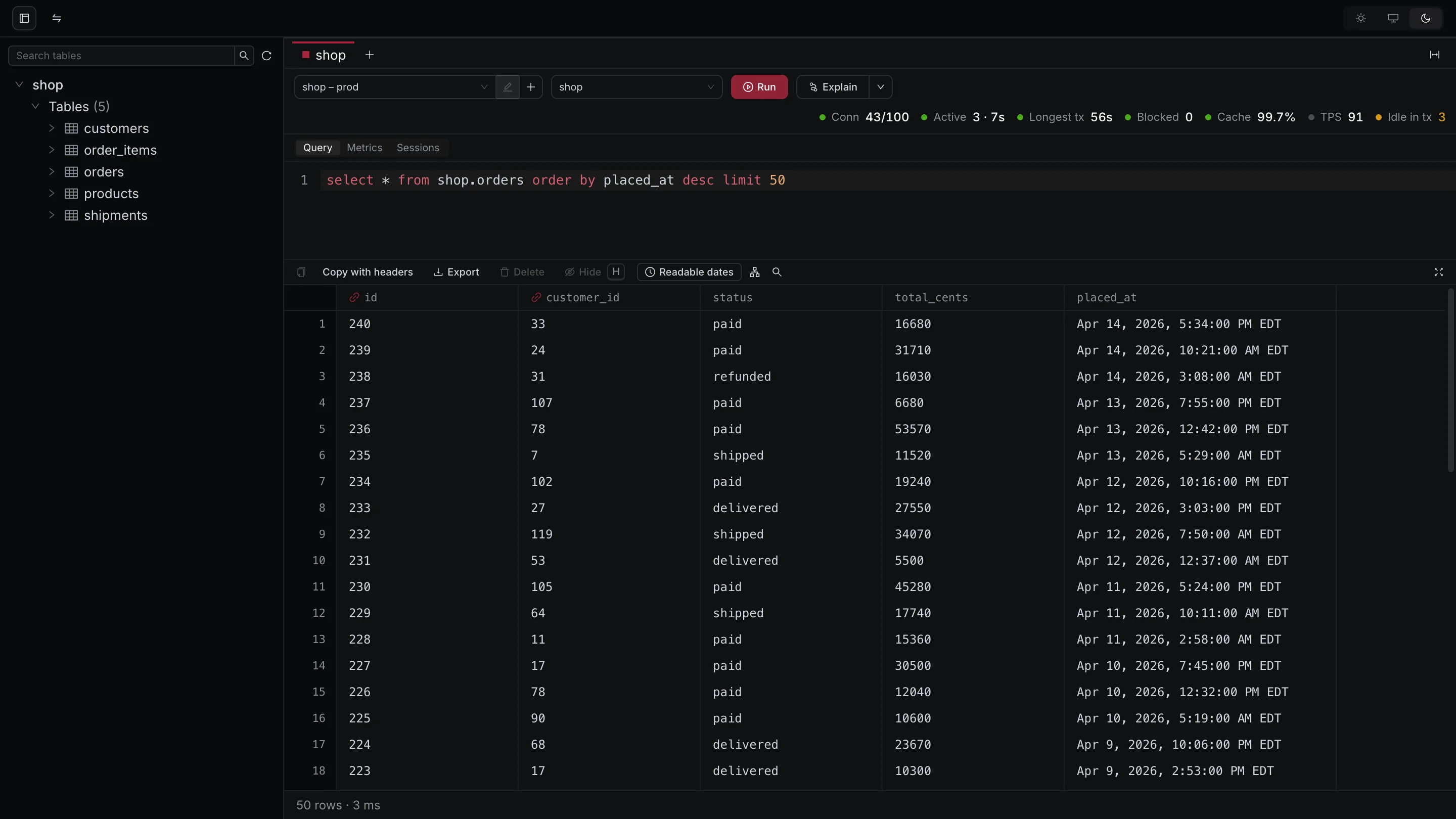
“2026-04-14 21:34:00+00. I read it, then do the time-zone sum in my head. Every time.”
Dates you can read.
One toggle turns date and timestamp columns into plain dates, in the time zone of your screen. Switch it off and you are back to what Postgres sent.
- In your time zone. A timestamp with a zone is shown in the zone of your screen. This screen is set to New York, so
21:34+00reads5:34:00 PM EDT. - Honest about what it does not know. A timestamp without a zone is never shifted.
NULL,infinityand anything that is not a date stay exactly as they are. - Display only. What you copy, export or edit is still the real value.
- Remembered. The toggle stays where you left it between runs, and works in the table and the graph.
It reads each column's type from the table a result came from, so it applies to results read from one table. A view or a join shows the raw value. The data is invented.